
Batches of dozens of files
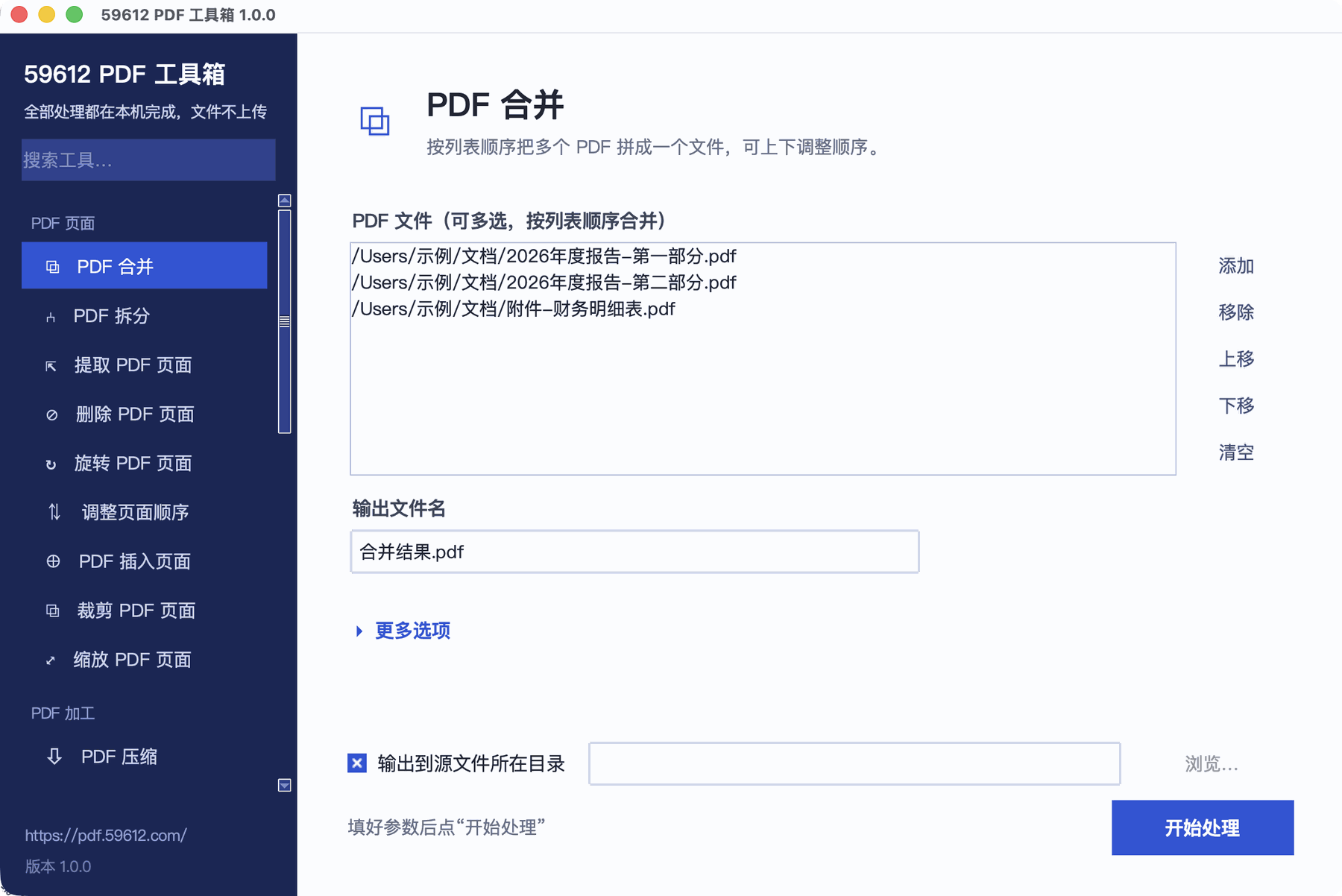
Select a whole batch and let it run through. No uploading and downloading one file at a time. Watermarking, compressing, or converting a folder full of scans takes minutes.
Everything the web version does, running locally: 28 PDF and image tools that keep working with the network unplugged. Batches of dozens of files, documents of several hundred megabytes, password-protected PDFs — the things a browser cannot do, the desktop app can.
Heads-up: the desktop app’s interface is currently in Chinese only. Every tool works the same, and file dialogs use your own system language, but menus and labels are not yet translated. An English interface is planned.
Reading this on a phone? The desktop app only installs on a computer. Use the web version for the files you have now, or send this link to your computer.
The web version stays free and capable — use it for everyday small files.
These four situations are where the desktop app is clearly better.
Select a whole batch and let it run through. No uploading and downloading one file at a time. Watermarking, compressing, or converting a folder full of scans takes minutes.
A browser has to read the whole file into memory, so large files stall or crash the tab. The desktop app reads from disk, and the process is the same at any size.
Set an AES-256 open password, or remove restrictions from a file whose password you know. Both are desktop-only; the web version does not offer them.
Once installed it never needs the internet. Air-gapped machines, restricted environments, or travelling without signal — every tool still works.
No extra steps: choose files, adjust options, press start. Results land next to the source file.
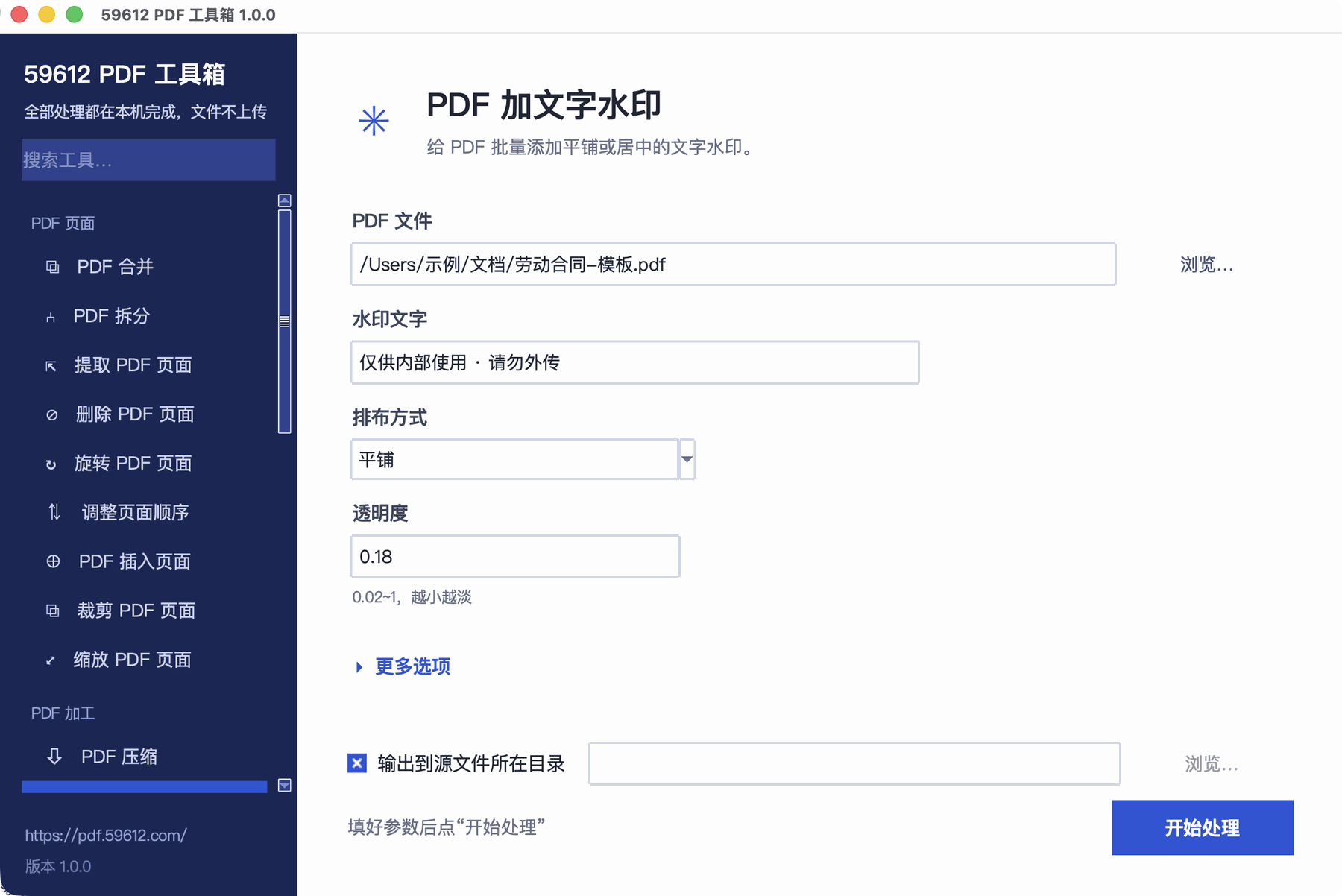
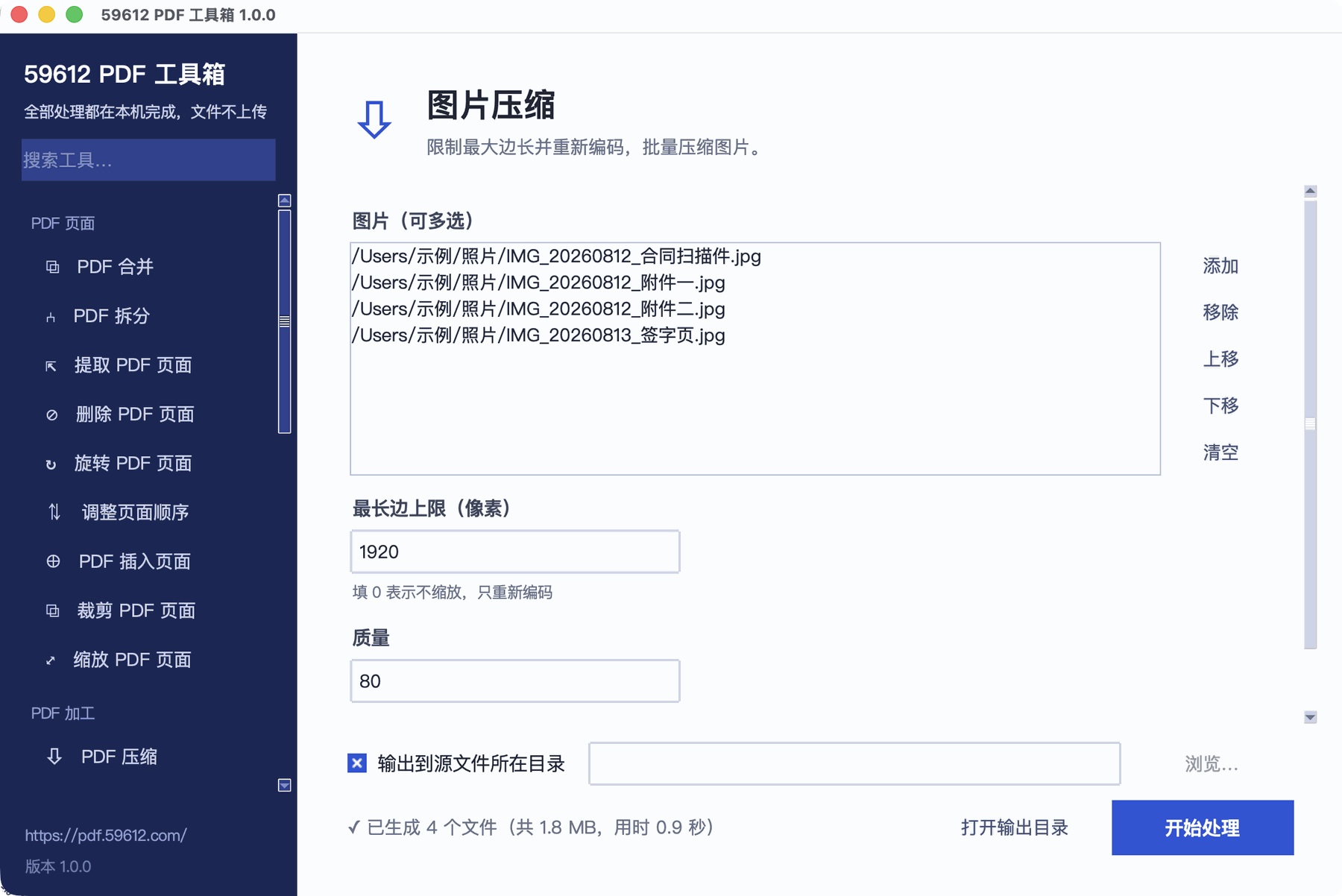
The same tools as the web version, with the same options.
Portable by design. Delete the folder and nothing is left behind.
59612-pdf-toolkit-1.0.0-win-x64.zip59612PDF工具箱.exeIf SmartScreen shows "Windows protected your PC" on first run, choose More info → Run anyway. The app simply has no purchased code-signing certificate; it is not malware.
59612-pdf-toolkit-1.0.0-macos.dmgSame reason: there is no Apple developer signature. After opening it this way once, a normal double-click works.
It is free. No ads, no in-app purchases, no limits on how many files you process or how large they are.
Very close. Both offer the same tools with the same options, but the desktop app uses a Python PDF engine while the web version uses pdf-lib and Canvas in the browser, so compression ratios and font rendering can differ slightly on a few tools.
No. "PDF to text" extracts an existing text layer; a scan is just an image and has none. The app says so clearly and suggests "PDF to images" instead. Reading text out of images needs OCR, which would multiply the download size, so it is not included in this version.
No, and it is not planned. "Remove password" only works on files whose password you already know — enter it, and the restrictions are removed so you can edit the file.
Re-compressing an already-compressed PDF often does that. When it happens the app tells you the size did not shrink and discards the result, rather than leaving a "compressed" file larger than the original.
It bundles a complete PDF rendering engine and Python runtime, so you do not have to install anything else. It expands to about 100 MB.
No prebuilt package yet, but the source is cross-platform and runs on Linux once Python and the dependencies are installed.
Just a small file and nothing to install? Use the web version — it does not upload your files either.